Managing your genebank profile and settings
When someone looks up your genebank on Genesys, they see your institutional page. This page shows key information about your institute — some of it pulled from FAO WIEWS, some of it you manage directly in Genesys.
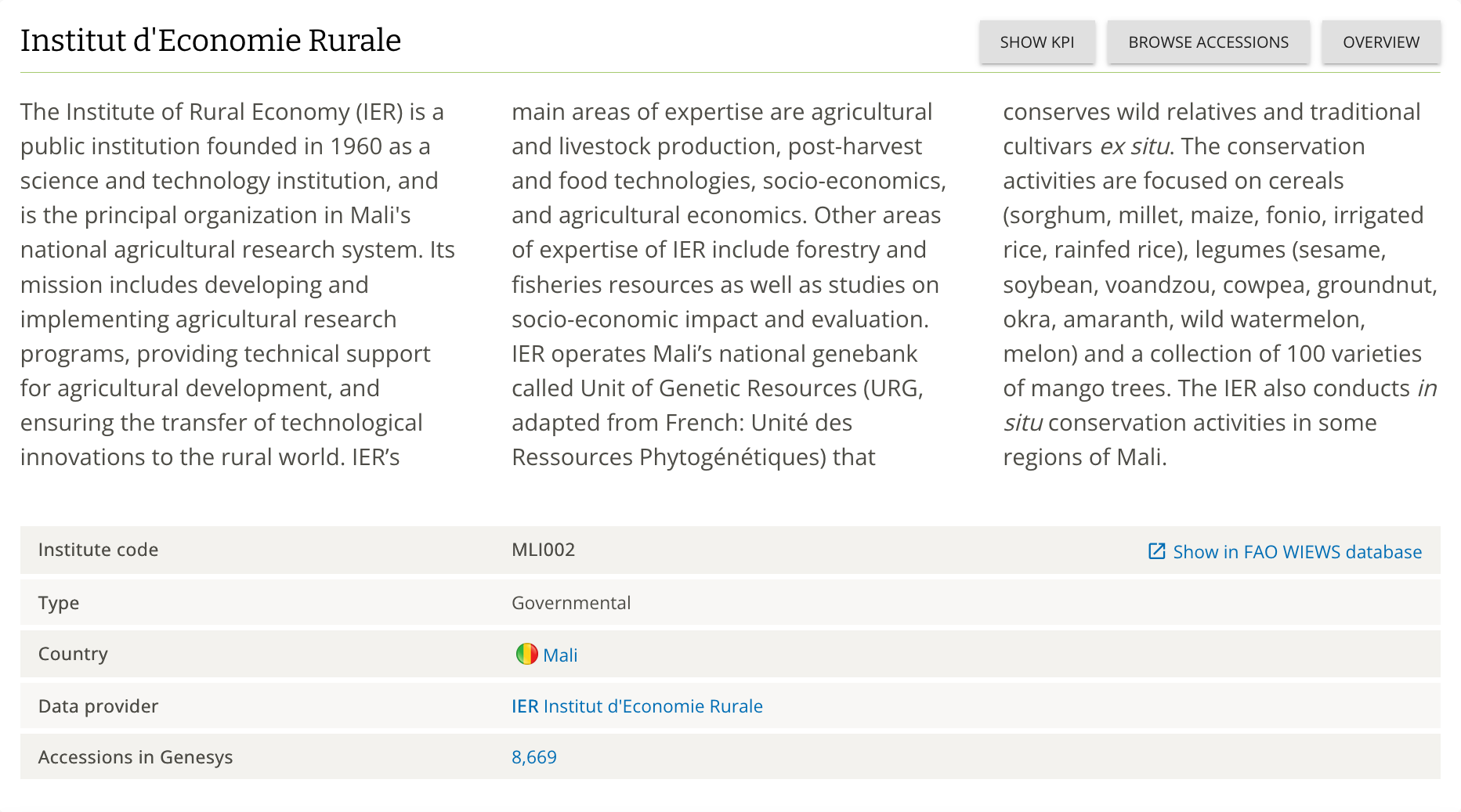
What comes from FAO WIEWS
A large portion of your page is populated automatically from FAO WIEWS — the World Information and Early Warning System on Plant Genetic Resources for Food and Agriculture, managed by FAO.
Read-only fields from WIEWS:
| Field | Example |
|---|---|
| Institute name | Institut d'Economie Rurale |
| WIEWS institute code | MLI002 |
| Institute type | Governmental |
| Country | Mali |
Genesys pulls this information when your institute is first set up. To update any of it, contact wiews@fao.org directly. Once FAO has corrected the record in WIEWS, contact helpdesk@genesys-pgr.org and we will refresh the data in Genesys.
What you manage in Genesys
You can update the following directly from your Genesys dashboard without needing to contact anyone:
Description — the narrative paragraph about your institution, its history, mission, and conservation activities. This is the main piece of text that tells visitors who you are.
Notification email address(es) — the inbox(es) where Genesys sends you email alerts when you receive a request for material. You can specify more than one address. This is separate from your user account email and is set at the genebank level.
Requests toggle — you can switch requests for material on or off for your genebank. When switched off, requesters will not be able to submit new requests through your Genesys page.
What Genesys calculates automatically
Accession count — the number shown on your page reflects the accession records you have uploaded to Genesys. It is not sourced from WIEWS and updates automatically as you upload passport data.
Managing who can do what
Access to a genebank in Genesys is managed through three levels:
| Permission | What it allows | Who can grant it |
|---|---|---|
read | The user belongs to the institute. This is how a person becomes associated with a genebank in Genesys. | You (self-service) |
write | The user can upload and modify accession data for the institute, and edit the institute's description in Genesys. | You (self-service) |
REQUEST_MANAGER | The user can see incoming requests for material and act on them (accept, decline, mark as fulfilled). | Genesys team only |
Granting permissions
When your genebank first joins Genesys, the Genesys team will assign write and REQUEST_MANAGER permissions to your first user account. From there, you can manage read and write permissions yourself.
On your institute page in Genesys, look for the Permissions button. This opens a panel where you can:
- Search for a registered Genesys user by their email or username
- Assign either
readorwritepermission - Revoke access when someone leaves or changes roles
You can assign permissions to as many users as needed. For networks managing multiple institutes, a single user account can hold permissions across all of them.
REQUEST_MANAGER permissions
If you need additional team members to manage requests for material, contact helpdesk@genesys-pgr.org and the Genesys team will assign the REQUEST_MANAGER role.
Removing access
If a team member leaves or no longer needs access, use the same Permissions panel to revoke their read or write permissions. You do not need to contact the Genesys helpdesk for this.
Need to correct WIEWS data?
If you spot an error in the WIEWS-sourced fields on your page, the fix starts at the source:
- Email wiews@fao.org with the correction.
- Once FAO has updated WIEWS, contact helpdesk@genesys-pgr.org and we will refresh the data in Genesys.
The Genesys team is happy to relay correction requests on your behalf if you are unsure of the process — just reach out to helpdesk@genesys-pgr.org.